
A successful workplace depends on more than just the final performance of the end product. The journey to get there is key to maintaining an effective workflow for everyone. That is why project management software systems are (more often than not) a necessity. I know, it’s a long word. But it truly defines itself and has opened me to a new world of organized work. Project management is the process of supervising the work of a team to achieve all project goals within the given constraints. It’s usually described as project documentation and is created at the beginning of the development process. The primary constraints are scope, time, and budget. To efficiently manage a project with various people or groups involved, the documentation is done in project management software systems. These software systems are highly customizable and offer a range of set-ups and features. Project management professional Jennifer Bridges breaks down process planning into five steps. In Project Planning Process: 5 Steps To Project Management Planning, she explains that the basic process of a project is, first, establishing the scope, then having a “course of action,” and ending with completing the objectives. To mobilize quickly, templates should be used when creating the project plan (layout processes). Then, break down deliverables and collaborate with other team members to get their input. Create timelines and assign determined dependencies to ensure the production of deliverables. All of this is organized and documented in a project management software system. Project planning is a complex process, and it’s necessary to ensure all active members are on the same track and aware of what everyone else is doing.
Project Management in Design Industry
As a graphic designer, I was interested in how project management worked in the industry. Working on a variety of projects and for different types of design, I noticed that it was always an ongoing process, often looping back to previous tasks. Erica Golightly explains that design work is subjective and takes client and customer feedback to improve the next experience. For effective project management, you need the team’s input on what type of work and structure is needed and arrange workflows based on that. In her article, The Complete Guide To Design Project Management, Golightly says that “with a dedicated task list in the design project management software, every designer has a detailed view of their workload each day and how it fits into the bigger picture.” Some of the key tools she listed were time tracking systems (to ensure the team’s attention is on the right task) and a feedback system (to filter all messages to one section). I’m sure I will use these tools once I am part of a large design team, but for my own project management software system, I focused on detailed organization and task categories.
My Project Management Process – Asana
For my personal project management process , I decided to use the software application Asana. I tried out the applications Monday, ClickUp, and Trello and found their system set-ups confusing or not customizable enough for my liking. I used Asana to organize and document my tasks in my Master’s course.
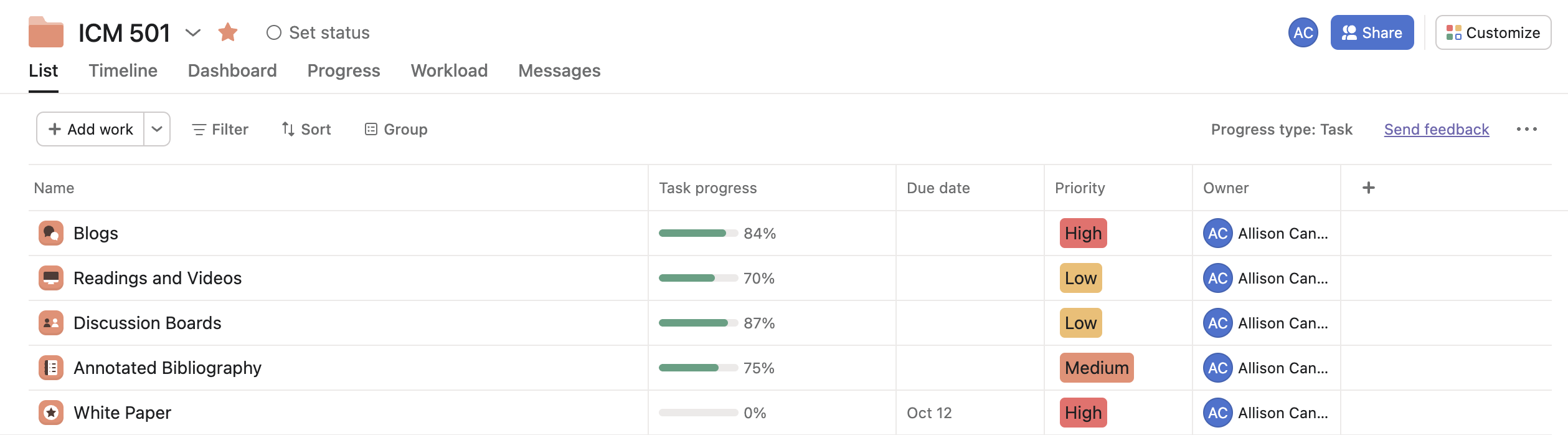
Enhanced Set-Up
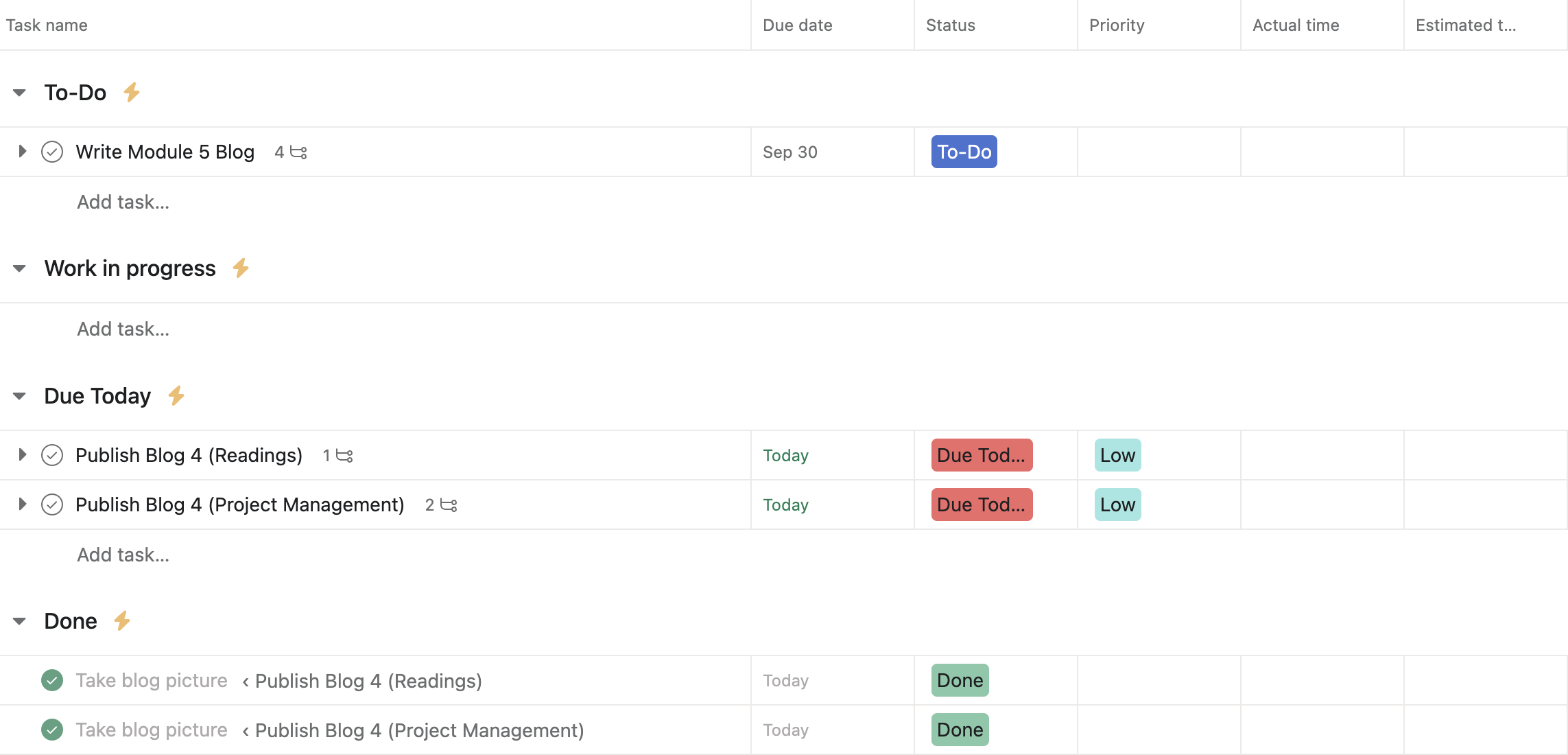
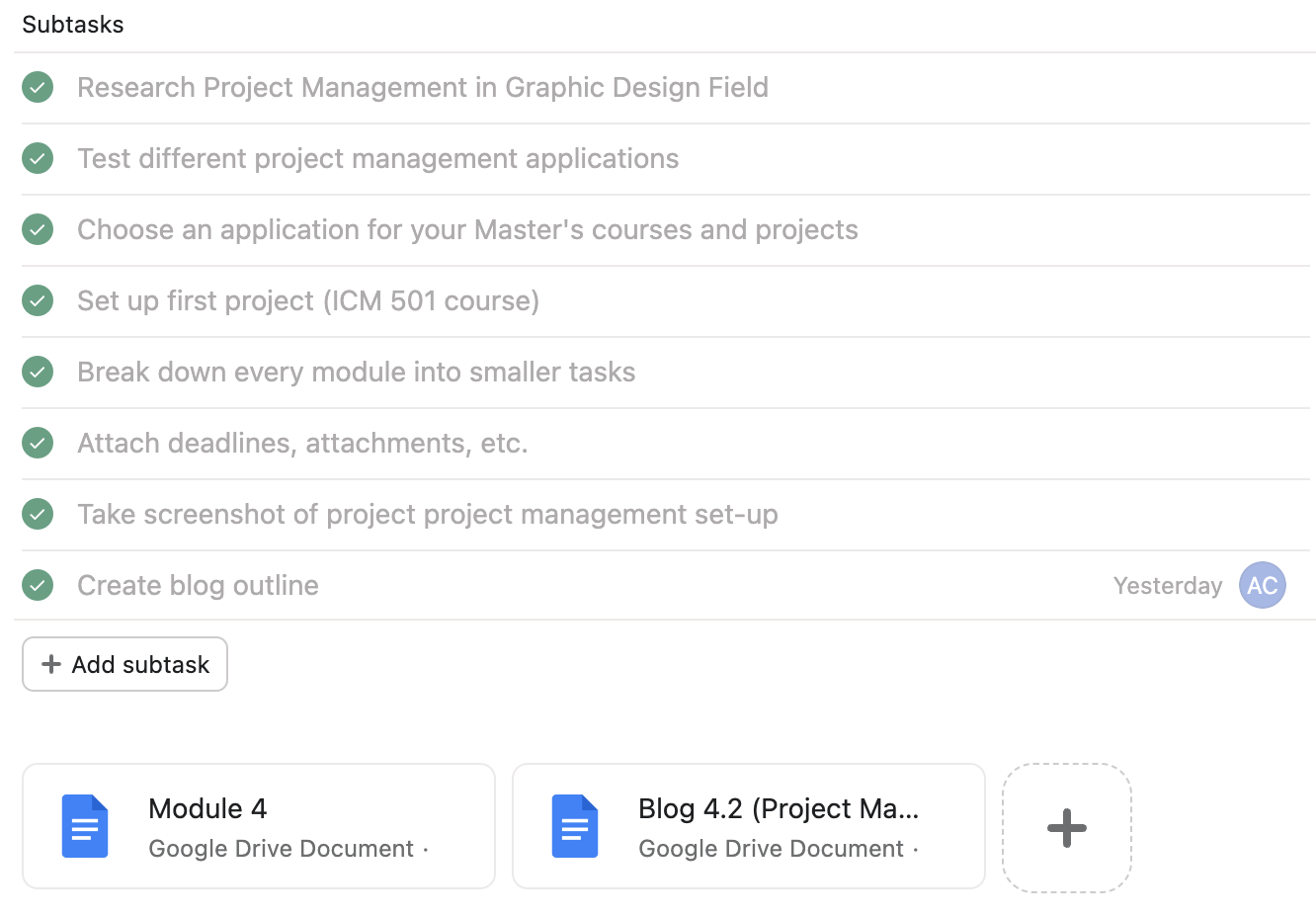
In Asana, I created four categories: To-Do, Work in Progress, Due Today, and Done. This way, I can track my progress with my tasks. For my task column, I added the features: Due Date, Status, Priority, Actual Time, and Estimated Time. The status and priority tabs were necessities for me. For status, I used the same four categories as my project set-up. For priority, I created four fields: None, Low, Medium, and High. I am a visual person, so color-coding each field greatly improved my task tracking and completion. Each task also had description, subtask, and file sections. These were very helpful in breaking down deliverables and keeping all of my work in one spot.
Mobilization and Automation
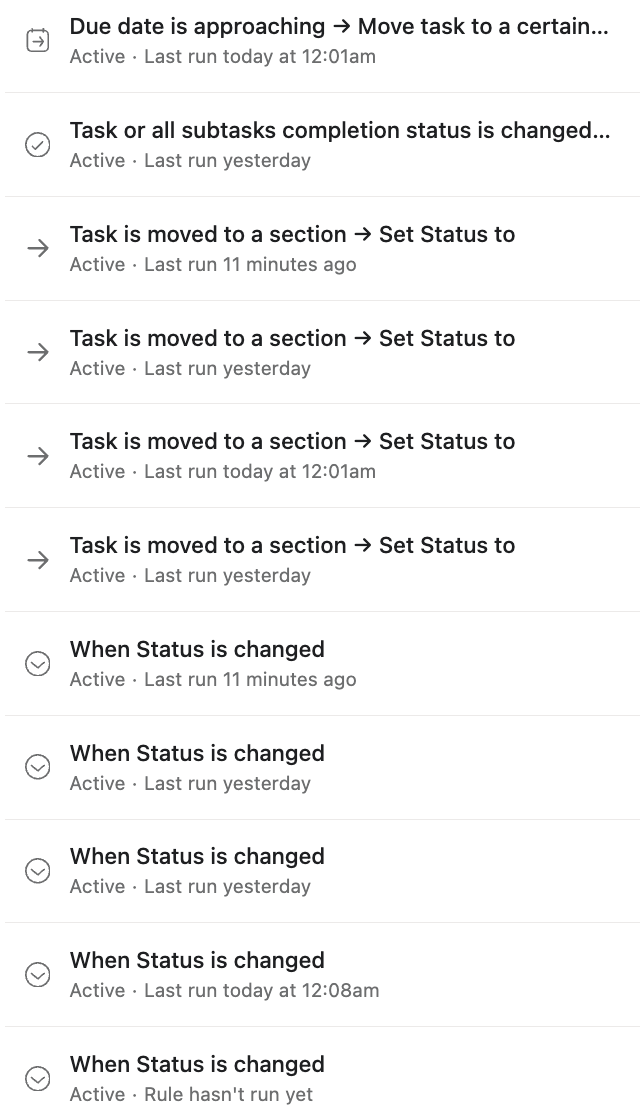
As mentioned by PMP Jennifer Bridges, I mobilized quickly by creating a project template and rules. Rules are what Asana describes as “a trigger that activates the rule and an action that is performed automatically.” These automatic functions allow for faster streamlining of tasks and make organizing my tasks much easier.

Types of Systems
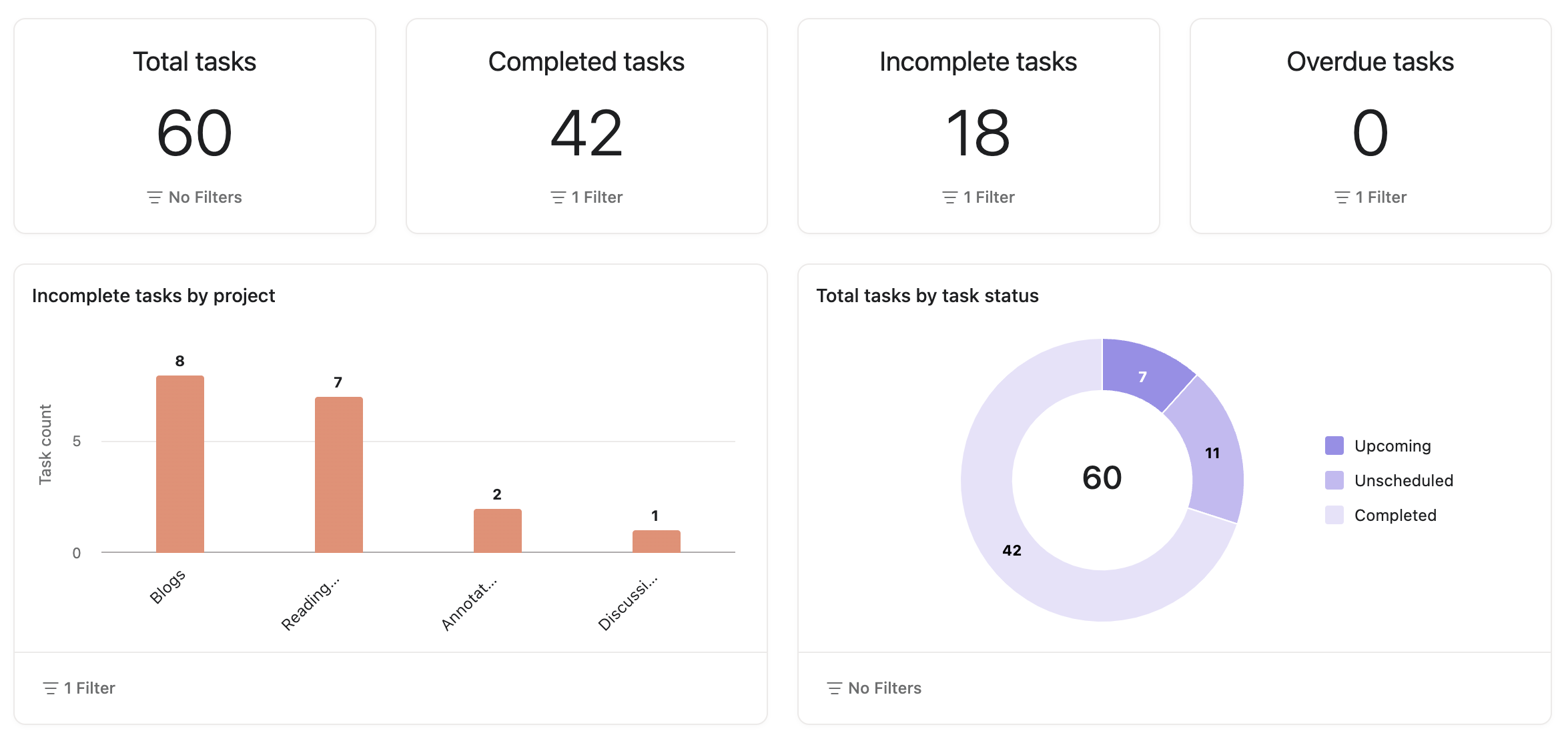
I mostly used the list view this week, but the dashboard, board (Kanban), timeline, and calendar views will be greatly helpful as I continue adding more tasks. The dashboard shows me an overview of my task progress, and the board view organizes my sections and tasks into vertical cards. In the timeline view, I can see when subtasks are due and what section they’re under. As for the calendar view, it shows me when the final task is due. Having a variety of view options makes listing and viewing work easier, for me and for teams. Each caters to a different need and is highly beneficial to the project’s success.
Final Thoughts
By utilizing Asana and integrating the Kanban style, I found the perfect way of managing my Master course assignments. I thrive on detailed and visual organization and found that with a project management software system, I retained better focus and stayed on track with all my tasks. I will definitely continue using such software to better manage my workflow.
 The Designer's Nook